
Which WNBA app should you download?
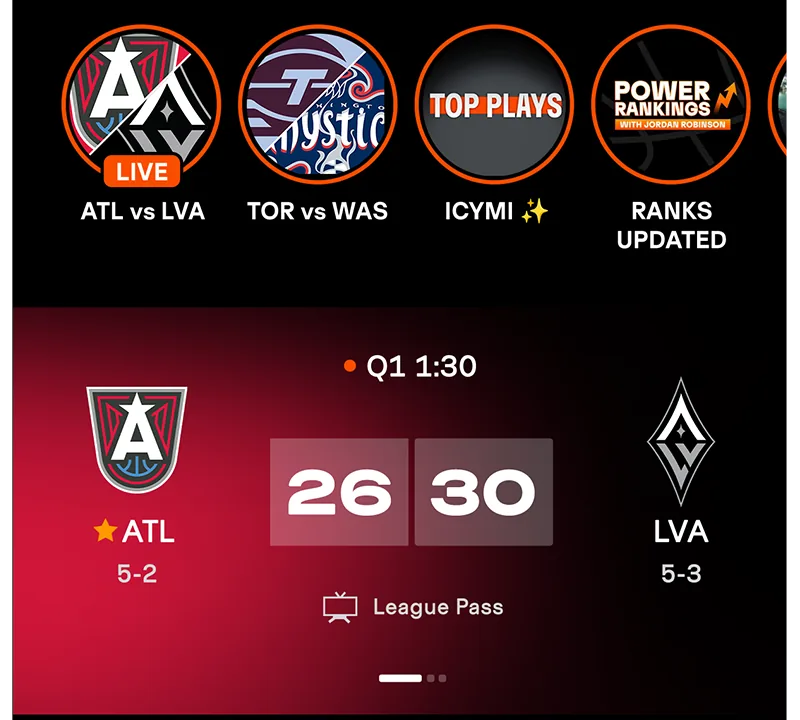
For the official WNBA app, use the WNBA's app page or the direct Apple App Store and Google Play listings. The listing title is WNBA: Live Games & Scores. On a phone or tablet, this is the quickest way to see the next tipoff, check a final score, follow a player and find out where a game is being shown. The app is free to download; paid video access is a separate decision.
If your search brought up a Windows installer, an APK mirror or a service that puts WNBA.com inside its own desktop window, pause before treating it as a league product. The official mobile listings and WNBA support pages are the reliable starting points. A computer can use the league's website in a normal browser, and television viewing depends on the TV's operating system or a supported streaming device. The sections below take those choices one at a time.
Free scores and highlights versus League Pass games
You can follow the season without buying a subscription. The official store descriptions list the schedule, where-to-watch information, live scores, game and player stats, standings, news, highlights, previews and recaps among the free features. A fan waiting for the New York Liberty result or checking who led Minnesota in assists can start there. Signing into a free WNBA ID also lets you save favorite teams and players so their updates are easier to find. The today's games and scores and our 2026 player stat leaders are useful when you want a quick browser view.
Watching full games is different. WNBA League Pass is a paid subscription that unlocks eligible live games, full replays and classic games on supported platforms. A League Pass account does not guarantee that every game is live in every location: local and national blackout rules can restrict a particular matchup. The league offers a zip-code check on its League Pass page. Do that before paying if the game you most want is your local team's broadcast. The app can be free and useful even when a particular stream requires a paid plan.
Use the official links and check your device
Open the league's app landing page and follow its store link, or use the direct Apple and Google links above. Check the listing title and publisher before tapping Install or Get. As of the league's April 2026 device guide, the mobile app supports iPhone and iPad on iOS 17 or later, and Android phones and tablets on Android 9 or later. The connected-device list includes Roku, Apple TV, Amazon Fire TV and Android TV. Check the support page again if your operating system has changed since this guide was written.
A Samsung Galaxy phone is an Android phone, so it uses the Google Play route. A Samsung smart television usually runs a different system; owning the phone does not imply there is an identical native TV app. That distinction matters when somebody searches “WNBA app for Samsung.” We cover TV options below. For now, choose the store for the device in your hand, install the league's listing and open it once before trying to purchase anything. You should see schedules and scores even if you have no League Pass.
Install the app on iPhone, iPad or Android
The install path takes only a few steps, but the store must match your device. iPhone and iPad use Apple's App Store. Android phones and tablets, including Samsung Galaxy phones, use Google Play. A phone may also suggest similar basketball apps, so read the full listing title and publisher instead of relying on an icon alone. The WNBA's own download page is a reliable handoff to the right store. There is no reason to buy League Pass before confirming that the free schedule and score pages load on your device.
Check the operating-system version if the store says the app is incompatible. The league's current help page lists iOS 17 or newer for iPhone/iPad and Android 9 or newer for Android phone/tablet. Updating the device may make it eligible; an older device that cannot update can still use some WNBA web pages in its browser, though web video support is a separate question. This is a better starting point than downloading an unofficial APK, which bypasses the official store's update path and may not be the league's current app.
iPhone and iPad setup
Open the WNBA App Store listing, tap Get, complete Apple's normal confirmation and then tap Open. If you came from a search result, confirm the title says WNBA: Live Games & Scores. The download is listed as free with in-app purchases; “in-app purchases” refers to optional paid products such as League Pass, not a fee just to see a box score. On first launch, explore the schedule and a completed game's statistics before deciding whether to turn on alerts.
Notification permission is a fan preference. If you want a tipoff reminder for the Fever or a final-score alert for the Aces, allow it and follow those teams. If you only check scores when it suits you, you can decline and use the app normally. The app's account icon lets you sign in to save preferences across devices. If you already paid through Apple's store and the video library still looks locked, do not subscribe a second time; the purchase-restore step appears later in this guide. The Apple TV version is installed on an Apple TV device rather than copied from your iPhone.
Android phone and tablet setup
Open the official Google Play listing, check that it is the WNBA-branded Live Games & Scores app and tap Install. Google Play currently shows WNBA Enterprises as the app publisher. After installation, tap Open and look for the score and schedule sections. A Samsung Galaxy phone follows the same Android steps; it does not require a special Samsung download. The official Play listing is also the place to receive app updates as the season and playoffs change.
If your Android device is on an old OS release, first compare it with the WNBA's Android 9 minimum. If it is eligible but installation stalls, check Play Store updates and free storage. If you can open the app but paid games remain locked, that is usually an account or purchase-link question, not evidence that you installed the wrong app. Sign into the same WNBA ID associated with the purchase, then use the league's recovery flow below. For a fast cross-check while sorting out your phone, the 2026 team list and live score pages on this site remain available in a browser.
Sign in with WNBA ID and unlock an existing subscription
A WNBA ID is the league account you use for saved favorites and, when applicable, WNBA League Pass. Creating one is free. You do not have to mistake the free account for a paid subscription: a fan can sign in, follow a favorite team and check scores without paying for full-game video. If you already subscribe, the account is how the WNBA recognizes that purchase across supported WNBA platforms. Use the same email and account that you used when you bought the plan.
This is the most important distinction when a game displays a purchase screen after you have paid. The problem may be an unsigned app, the wrong account, an App Store purchase that needs restoring, or a subscription bought through a separate distributor. Do not pay again until you have checked which of those applies. The WNBA's support pages give specific recovery steps, and the path changes depending on the seller.
Create or use your WNBA ID
In the app, tap the person-shaped My Account icon at the top right, choose Sign In or Create Account, continue through the prompt and enter the email and password for your WNBA ID. Those are the league's current sign-in steps. If you have an older WNBA account or an NBA ID tied to the same email, the WNBA says those credentials can be used to activate the WNBA ID. In particular, a linked NBA ID may require its NBA ID password. If you cannot remember it, use the official Forgot Password link rather than trying unrelated email addresses.
Once signed in, choose the teams and players you actually follow. This makes updates for the Liberty, Lynx or another club easier to find amid a busy game night. The same free account can also show whether a WNBA-billed League Pass plan is active. The official subscription-status guide says to open the Account icon and My Subscriptions. On WNBA.com, sign in and check My Account then Subscriptions. If you see no plan there, first confirm the purchase email and seller before assuming a payment failed.
Restore purchases and avoid buying twice
If you bought League Pass directly on WNBA.com, open the app and sign in with the WNBA ID attached to that purchase. If you bought it through Apple and access does not sync, the WNBA restore guide says to sign in, then choose Restore Purchases under preferences. Apple should confirm that the purchase has been linked. For a Google Play or Roku purchase, the WNBA says the plan normally links to your WNBA ID; if it does not, select a League Pass item and choose Already Purchased from the subscription choices. These are different recovery paths, so use the one matching the store receipt.
There is one easy-to-miss exception. A WNBA League Pass subscription purchased through Amazon Prime is available through Prime's own apps and website, but the WNBA says it cannot be used to unlock WNBA.com or the WNBA App. The league gives the same separation for Sling TV purchases. A WNBA ID password cannot convert those distributor subscriptions into a direct WNBA app entitlement. If you bought through one of those services, watch there and use that provider's support for billing questions. This distinction can save a fan from a duplicate charge.
Watch from a PC or a television
On a laptop or desktop computer, the straightforward WNBA route is the league website in a browser. The League Pass page has subscriber sign-in, and the WNBA's help center explicitly says League Pass can be watched on the web. You can also check schedules, box scores and standings in a browser without installing anything. Search results that promise a “WNBA app for PC” may point to a third-party desktop wrapper around a website. One prominent example, WebCatalog, expressly says it is not affiliated with the WNBA. Its listing is not evidence that the league offers an official Windows installer.
TVs require a closer look because a brand name does not identify the software running on every device connected to it. A Samsung set with a Roku stick uses Roku's app catalog through the stick. An Apple TV box connected to that same set uses Apple's catalog. The league's list names those platforms, along with Amazon Fire TV and Android TV; it does not promise a native WNBA app for every smart TV interface.
A browser is the WNBA route on a PC
Open WNBA.com or its League Pass page in a current browser. If your goal is just the final score, look at the game page; if you subscribe directly to League Pass, choose the subscriber sign-in and use the WNBA ID tied to your plan. The WNBA purchase guide also says subscriptions can be purchased from a desktop browser. This makes the computer a practical choice if your phone cannot run a recent app version or if you want a larger box score while following several games.
Do not mistake “desktop app” search listings for official WNBA software. A web wrapper can be convenient for some users, but it remains another company's tool around web content. A normal browser keeps the account step at the league's own site. If a stream is locked there, check the WNBA ID, subscription seller and blackout rules before assuming the computer itself is the problem. For quick schedule checks during work or school, our site's current games and scores and TV listings load in a browser too.
Roku, Apple TV, Fire TV and Android TV
The WNBA's supported-device list currently includes Roku on OS 12 or newer with fifth-generation hardware or later, Apple TV on tvOS 17 or newer, Amazon Fire TV on OS 7 or newer, and Android TV on Android 7 or newer. It also lists third-generation or newer Chromecast devices. Search the supported platform's own app store or channel store for WNBA, install the official listing and sign in with your WNBA ID if your direct League Pass plan is attached to it. The minimums matter: an older streaming stick can fail even when the TV screen itself is modern.
If the app opens on a connected TV but asks you to subscribe again, use the same account and purchase-source checks described above. The WNBA says purchases on certain TV platforms are available in select markets, so the on-screen subscription options may vary. A paid plan bought through an outside distributor remains subject to that distributor's viewing route. If you are comparing devices before buying one, look at the league's support list first rather than assuming that any product with “smart TV” on the box will run the app.
What a Samsung TV owner should check
As of this October 2026 check, the WNBA's supported-device page does not list a native Samsung Tizen TV app. The NBA app may have different device support, but that does not establish WNBA app support. Check the exact TV's app catalog and the latest WNBA help page before expecting a direct install. For many fans, the clearest route is a supported Roku, Apple TV, Fire TV or Android TV device connected to an HDMI input. A laptop connected to the TV by HDMI can also show the WNBA website if that suits your setup. Whether phone casting works depends on the specific phone, TV and streaming device, so test it before making it your only game-night plan.
Amazon Prime is a separate route some Samsung owners already use. If you purchased the WNBA League Pass add-on through Prime, watch it in the Prime Video environment on a device where that service is supported. The WNBA says that Prime-bought package does not transfer into the WNBA App. Conversely, a direct WNBA subscription should be used through the WNBA's supported web or app routes rather than assumed to appear inside Prime. Before tipoff, check the receipt: it tells you both whom to contact for billing and where you should expect access.
Find the game you want and solve access problems
After installation, start with the schedule rather than hunting through video thumbnails. Find the matchup and tipoff time, then look at the app's where-to-watch information. That tells you whether a broadcaster or eligible League Pass stream is the relevant route. During play, the game page's live score and statistics can still be useful even when its video is unavailable to you. After the buzzer, the box score and highlights give a quick recap. If you missed the game entirely, League Pass describes full-length replays, subject to the service's rules; do not assume the live stream and replay have identical availability at every moment.
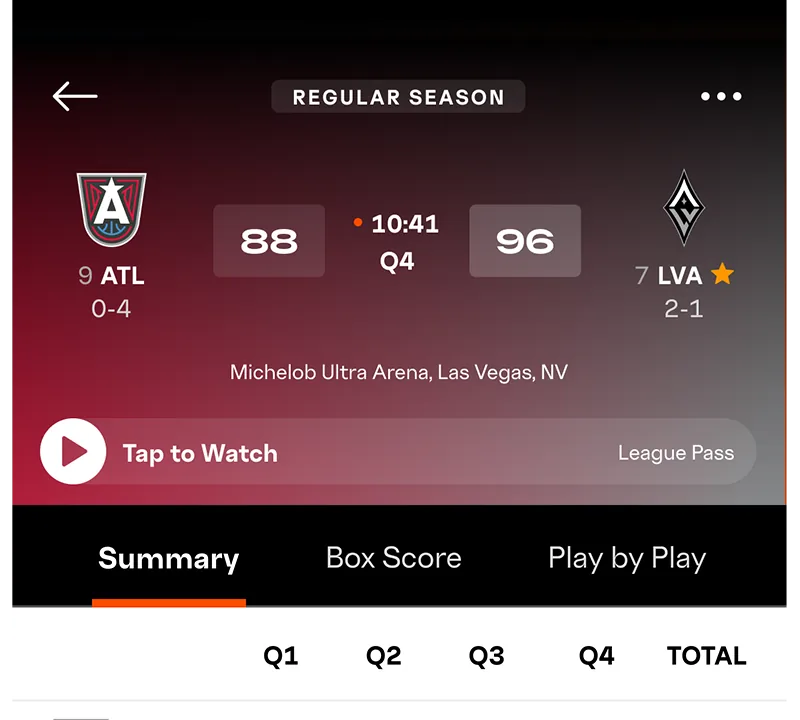
The league's League Pass page lets U.S. fans enter a zip code to check viewing restrictions. This is especially useful before a home team's game: a local or nationally carried broadcast can be blacked out for live League Pass viewing even when your paid account is functioning perfectly. The app's free score and schedule features are still useful in that case. For a fuller explanation of why a specific broadcast may be missing, see our League Pass blackout guide.
When a game is unavailable or the app asks you to subscribe again
First identify the type of problem. If the game page names a local or national TV partner or the league's zip checker indicates a restriction, it may be a blackout rather than a login failure. If every paid game asks for a plan, open My Subscriptions and check whether you are signed into the WNBA ID that holds your direct purchase. Check the receipt as well: Apple, Google Play, Roku, WNBA.com, Prime Video and Sling are different sellers with different recovery paths. Restore an Apple purchase or use the league's Already Purchased option for Google Play/Roku when appropriate. A Prime or Sling plan must be watched in that provider's environment.
If the account and game rights look correct, update the app and device OS, close and reopen the app, and follow the WNBA help center's device-specific steps. The league says reinstalling and signing back into the correct WNBA ID can help with a subscription that refuses to sync. Its sync article also points fans to support if the problem persists. Our League Pass troubleshooting guide covers the longer checklist. Keep the game, device, app version, account email and purchase source ready when you contact the league; that information is much more useful than simply saying the app does not work.
For most fans, the everyday answer is uncomplicated: install from the official Apple or Google listing, enjoy the free score and schedule tools, sign in with WNBA ID for saved preferences, and buy League Pass only if its available games fit what you want to watch. On a PC, open WNBA.com in a browser. For a TV, check the WNBA's supported-device list and the operating system actually running the app. These small checks make game night about basketball instead of a last-minute search for another download.
Sign in with Google to join the discussion.